Home | Server List | How-To List | Website Info List
This is a long but easy to follow how-to on updating a modpack in the CurseForge App.
Sorry if the screenshots are kinda big, you can use CTRL- to zoom out, and CTRL+ or CTRL= to zoom in.
First open the cursforge app. If it isn't installed, follow the how-to on Installing CurseForge.
Click on the modpack you want to update. In this example, it's New Game 2.
Then click on the three dots, and click on Change Version.
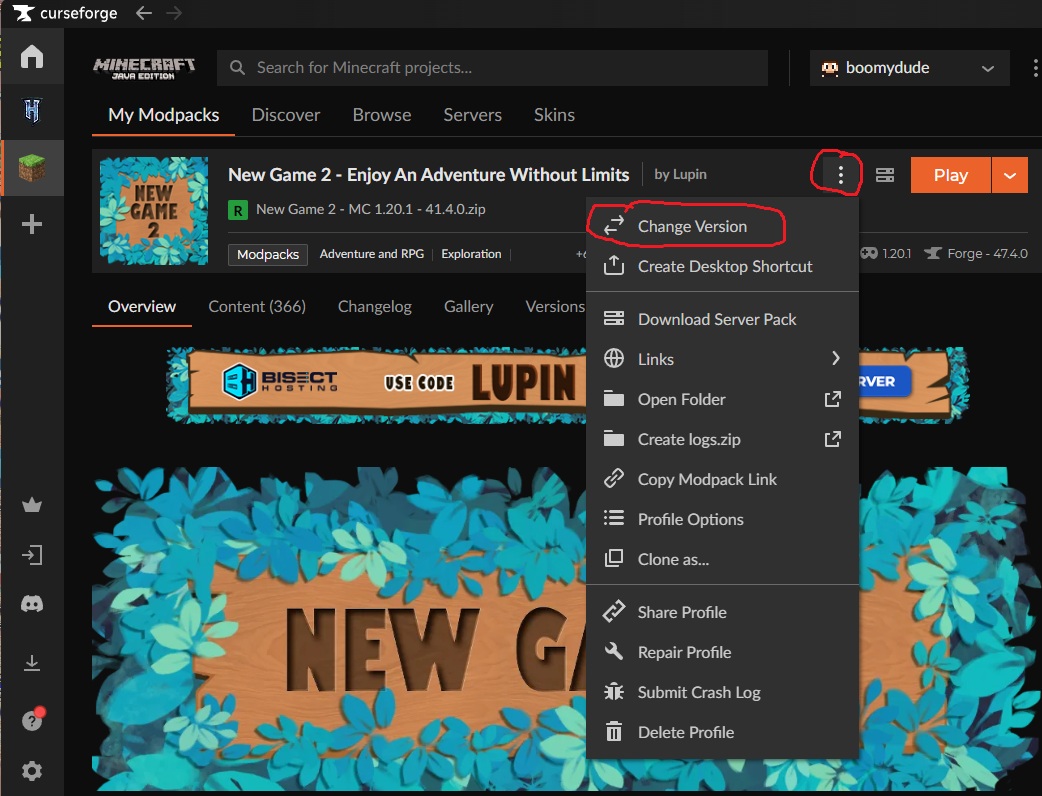
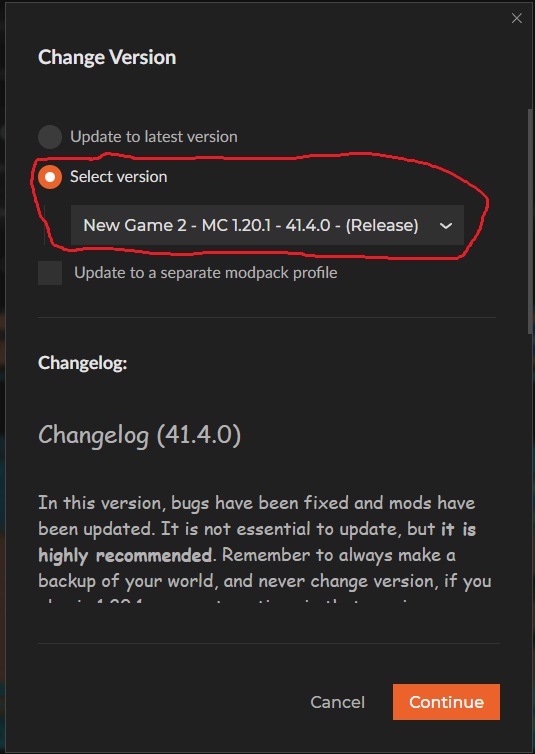
Select your version here. Many times it may not be the most up to date one.
The modpack and version number shown here are just an example!
The actual version to select should be on the server info page. (Example, New Game 2)
Then click the continue button to start the update process.
Wait for the modpack to update, then you should be good to go!