Home | Server List | How-To List | Website Info List
This is a long but easy to follow how-to on installig the New Game 2 Modpack on the CurseForge App.
Sorry if the screenshots are kinda big, you can use CTRL- to zoom out, and CTRL+ or CTRL= to zoom in.
To begin, make sure the Curseforge App is installed and opened.
If the New Game 2 Modpack is already installed, you can upgrade it instead of continuing with this how-to.
You are going to be flipping between this instructions browser tab and the website tab a few times.
Or you can read all of these instructions first, then open the new tab when done.
Or you can open this page on your phone while doing the instructions on your PC.
Please don't just click the first download button you see. Only a specific version will work.
To begin, open the New Game 2 webpage in a new browser tab by right clicking.
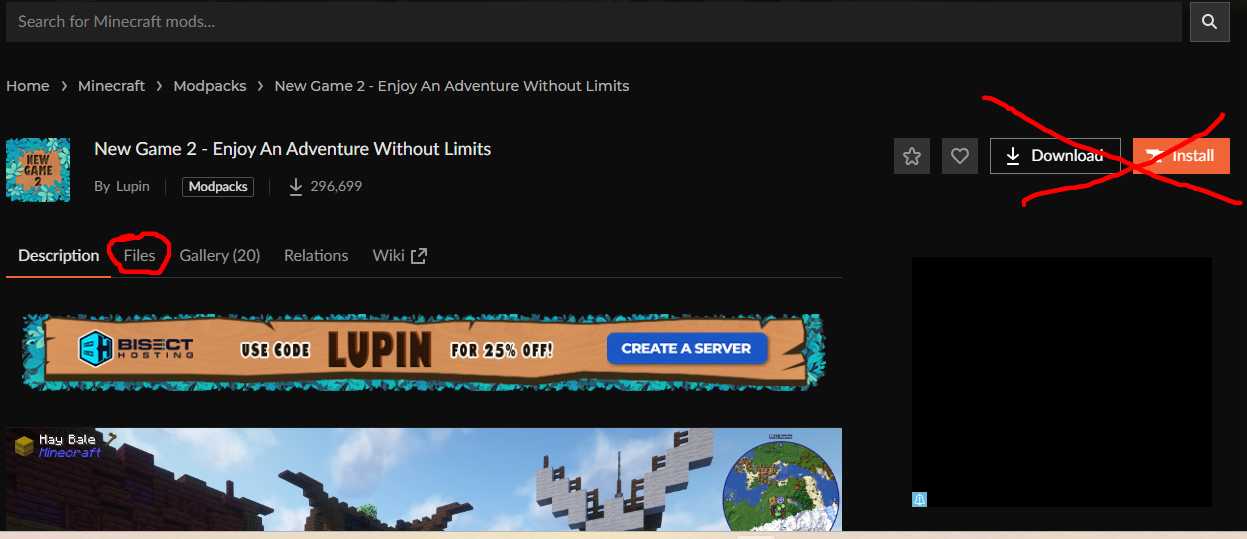
Don't click Download or Install. Come back to these instructions to continue after the new tab is opened.
Next, click "Files" near the left hand side.
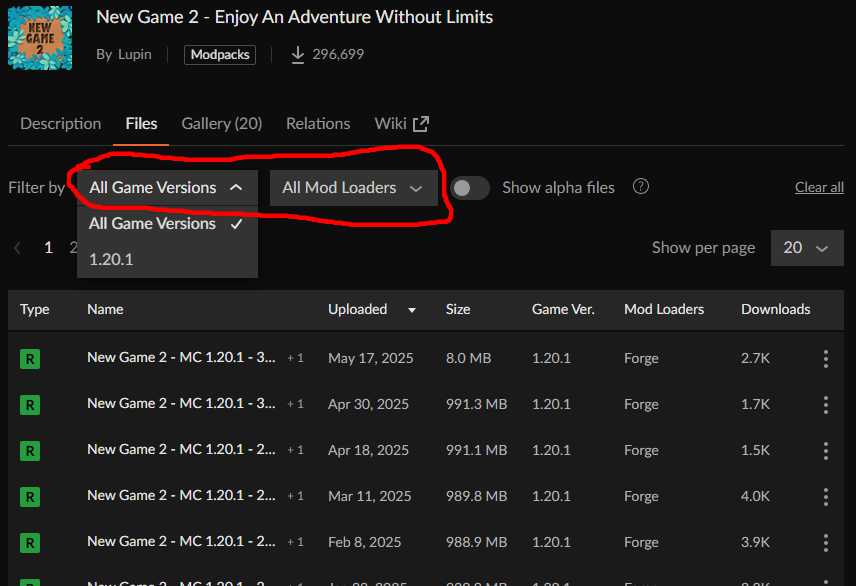
Then, make sure the "Game Versions" drop-tab is set to 1.20.1 and the "Mod Loaders" tab is set to "Forge".
Then click the first version (New Game 2 - MC 1.20.1 - 4...) in the table below.
You will want version 43.1.0 from Aug 01, 2026.
If the version on the File Details page doesn't match
go back and try the next item down on the list until you find the right version.
Once you found the right one, click the orange "Install" button on the File Details page.
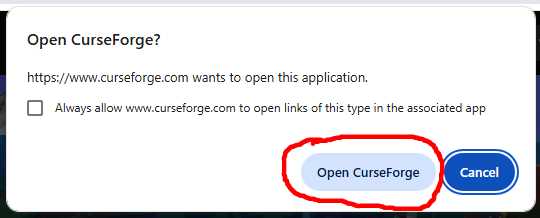
Click "Open CurseForge" button on the pop up message box.
The CurseForge app should go through the process of installing the modpack.
After a few minutes, you should be able to click Play.
If this is the first time you are playing a modpack, you will need to sign into your microsoft account when asked.
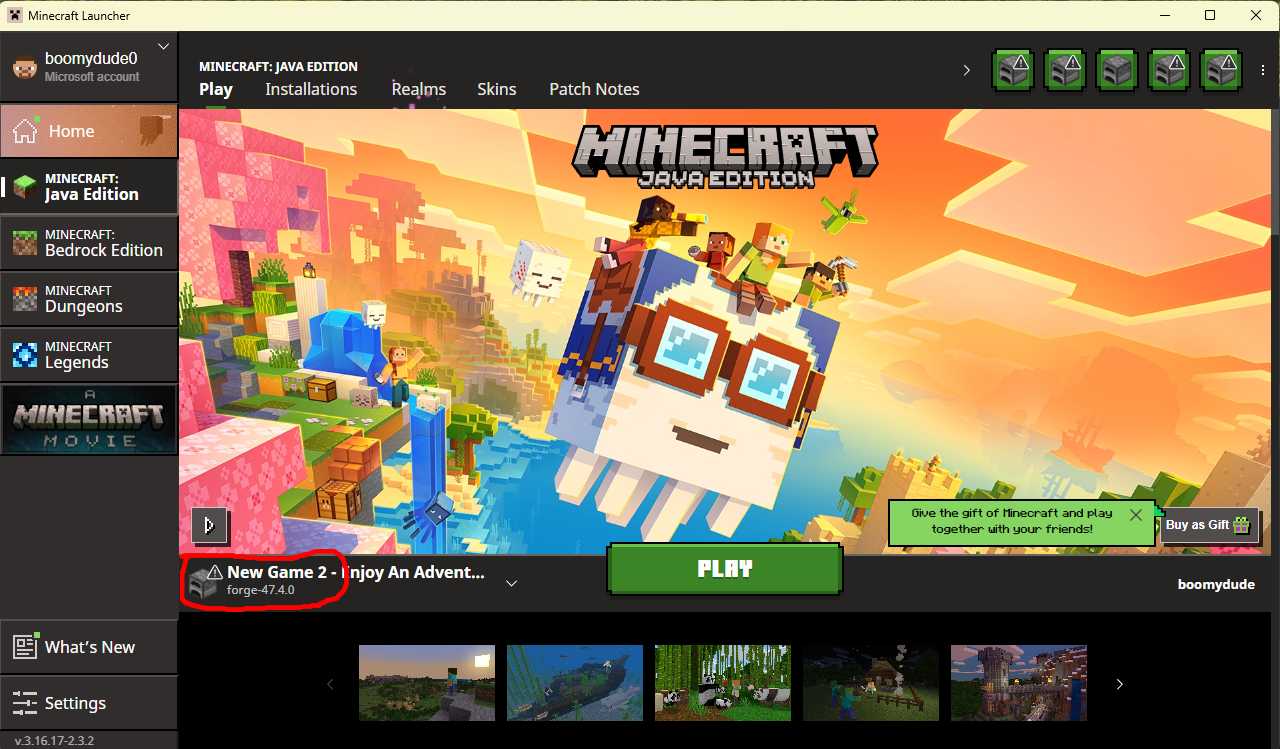
After being signed in, the vanilla launcher should pop up. You should check that it has the New Game 2 profile selected.
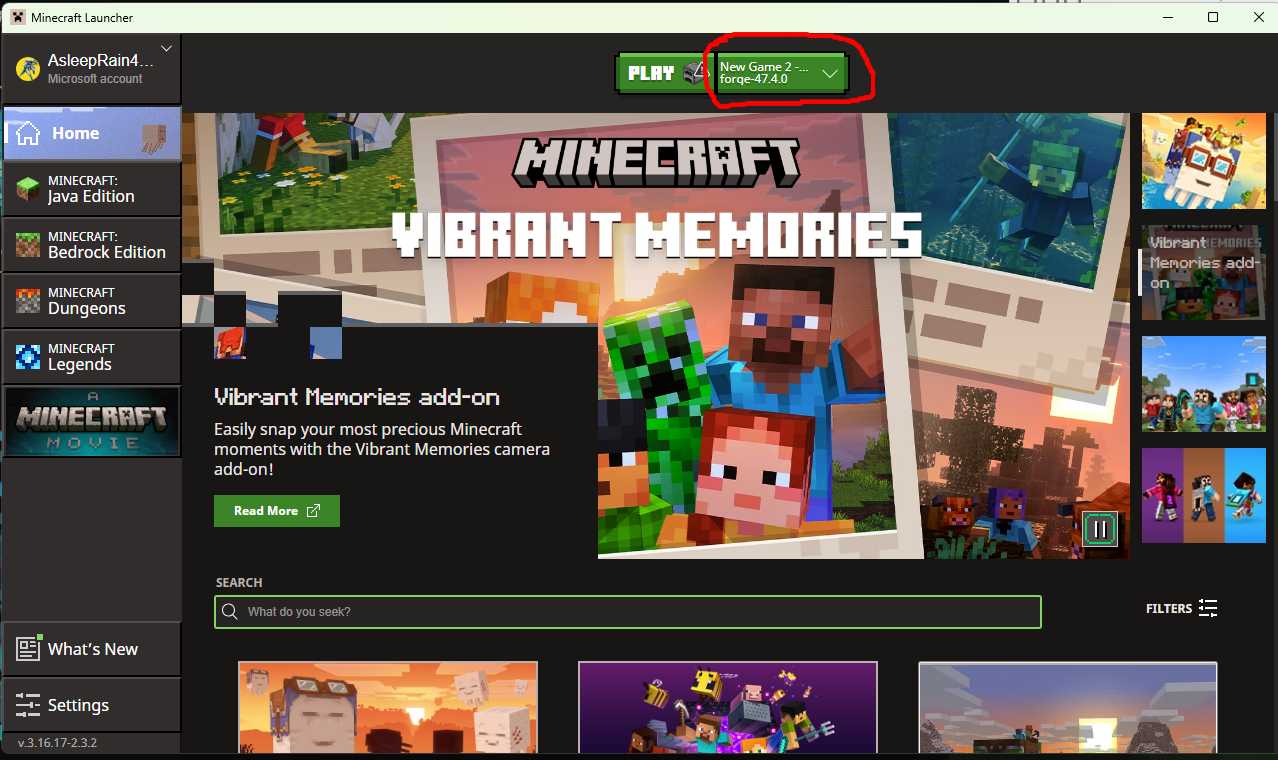
You don't have to, but if you click on the "Java Edition" button to the left, the launcher layout will look similar to below.
Either way, click Play after verifying that it's New Game 2 with forge-47.4.0
The message warning about this being modded minecraft will appear. Check the box and proceed.
The modpack should load. This may take a few minutes.
After the game loads, you can adjust any settings, then click on multiplayer.
The first time you click on multiplayer, the pop-up below appear.
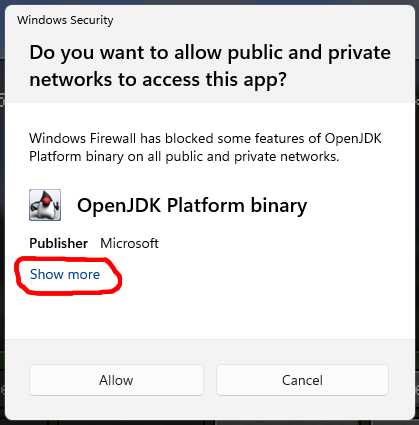
Expand the "Show more" button, and I would select both public and private networks.
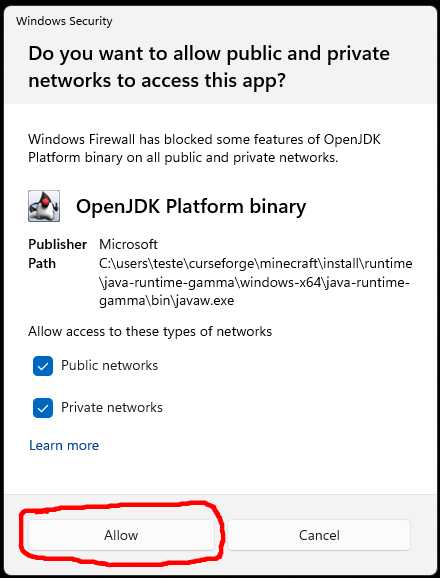
Click Allow.
On the multiplayer menu screen, click on Add Server, and add rsminecraft.servegame.com:25570
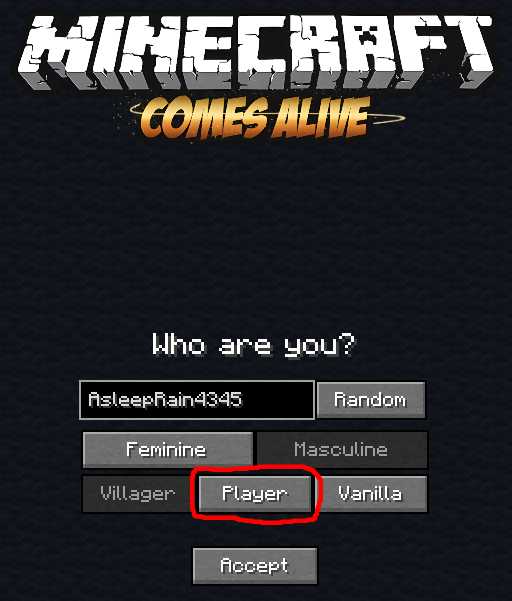
When first joining, Minecraft Comes Alive will ask a little about your minecraft character.
I would select "Player" on the first screen, then customize on second screen.
Then select "Somewhere" on the Journey Start screen.
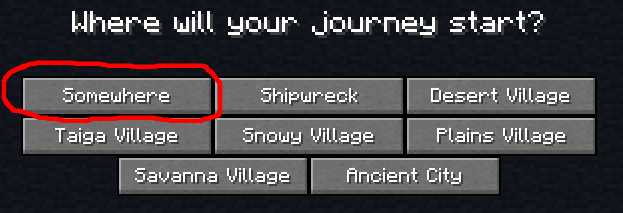
Selecting something other than "Somewhere" may put you far from actual spawn.
The villages near spawn are not vanilla villages.